E-commerce Operations Platform
An operations console for a retailer selling aftermarket car parts online and through trade workshops. Orders, pre-order deposits, inbound freight, stock and workshop bays sit in one place instead of six separate sheets.
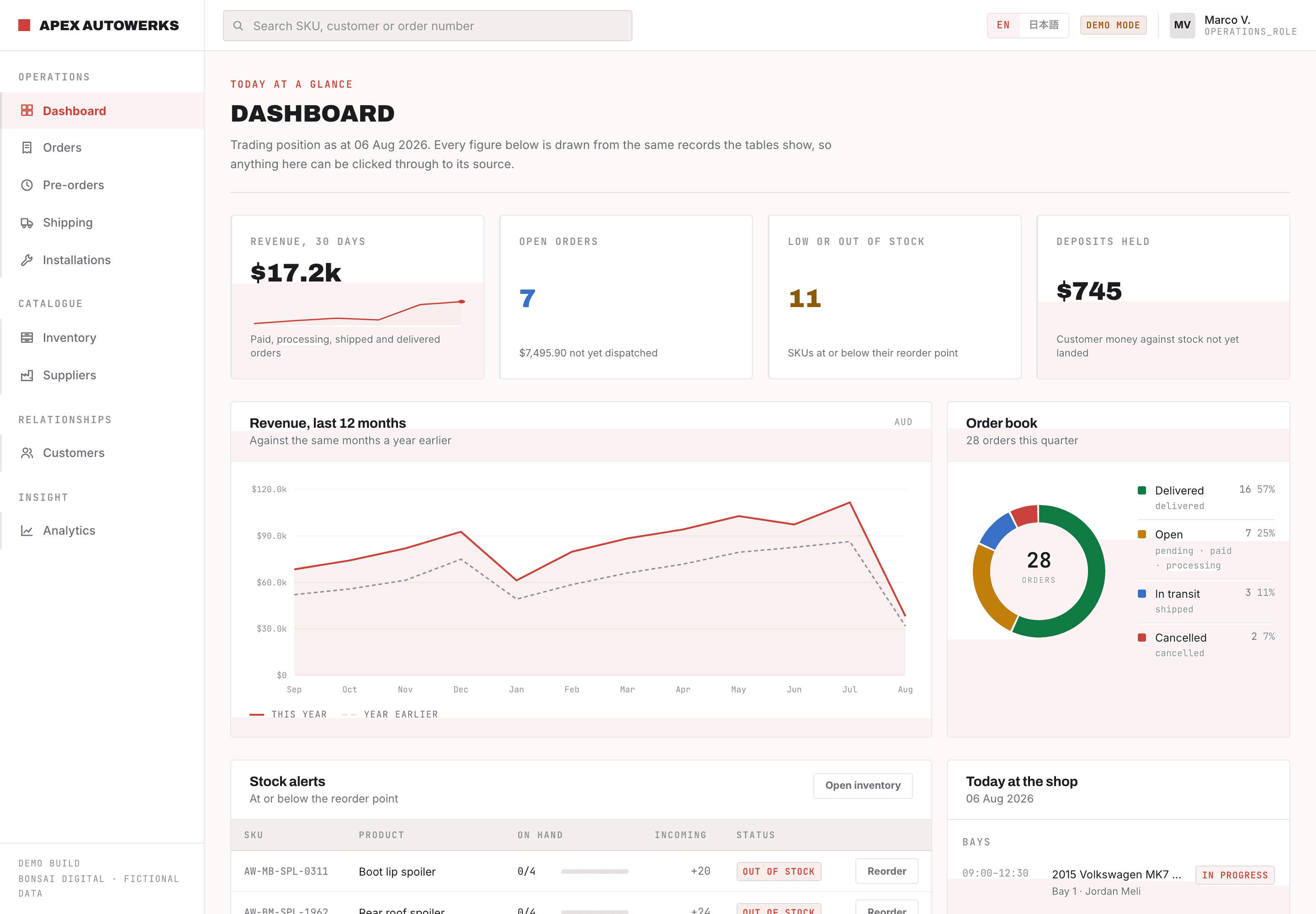
Overview
The client imports body kit and trim parts from overseas factories and sells to both retail customers and trade workshops. Their whole day ran across a stack of spreadsheets nobody had planned, so we rebuilt it as one console. Orders, pre-orders, suppliers, freight, stock and the workshop calendar all reference each other, and every figure on the dashboard traces back to the rows behind it. The screens here run on stand-in data, with the client's own names, customers and numbers replaced.
The problem
The business ran on five or six spreadsheets nobody had planned. One sheet for SKUs and stock counts, another for suppliers and lead times, a third for orders, a deposit tracker for pre-orders, and a freight tab for whatever was still on a boat. None of them referenced each other, so a simple question like “which customer deposits are riding on the container that just slipped two weeks?” meant opening four files and doing the maths by hand. The answer usually arrived after the customer had already called.
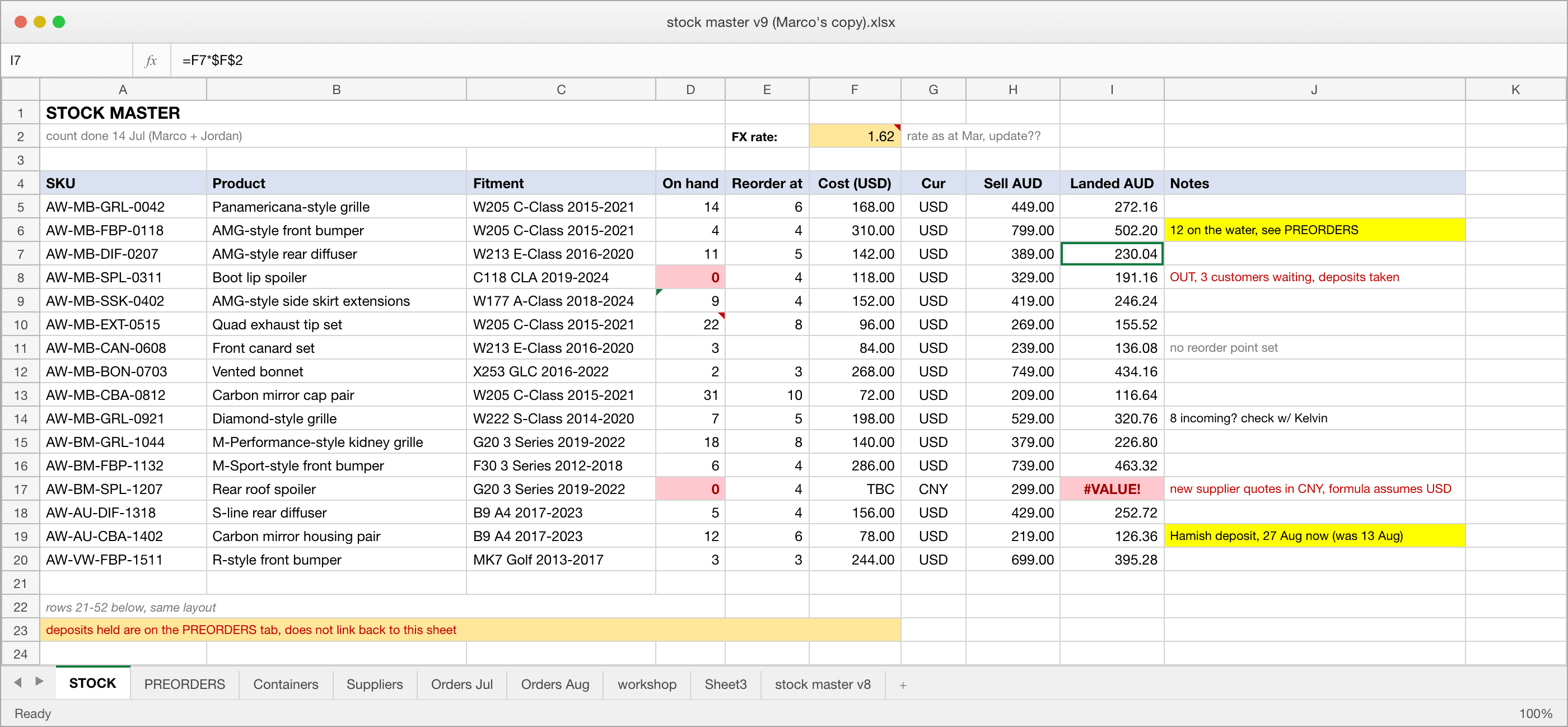
On spreadsheets
- Stock counts and reorder points typed by hand, out of date within a day
- Landed cost worked out in a side column against a stale exchange rate
- Customer deposits tracked separately from the container they depend on
- Workshop bookings on a paper calendar, invisible to whoever answers the phone
In the console
- One record per SKU, with stock, reorder point and landed cost computed together
- Every pre-order points at the shipment it is waiting on, so a slipped ETA flags itself
- Dashboard figures are clickable, so any number leads back to the rows behind it
- Bays, freight and open orders on one screen, in English or Japanese
What We Did
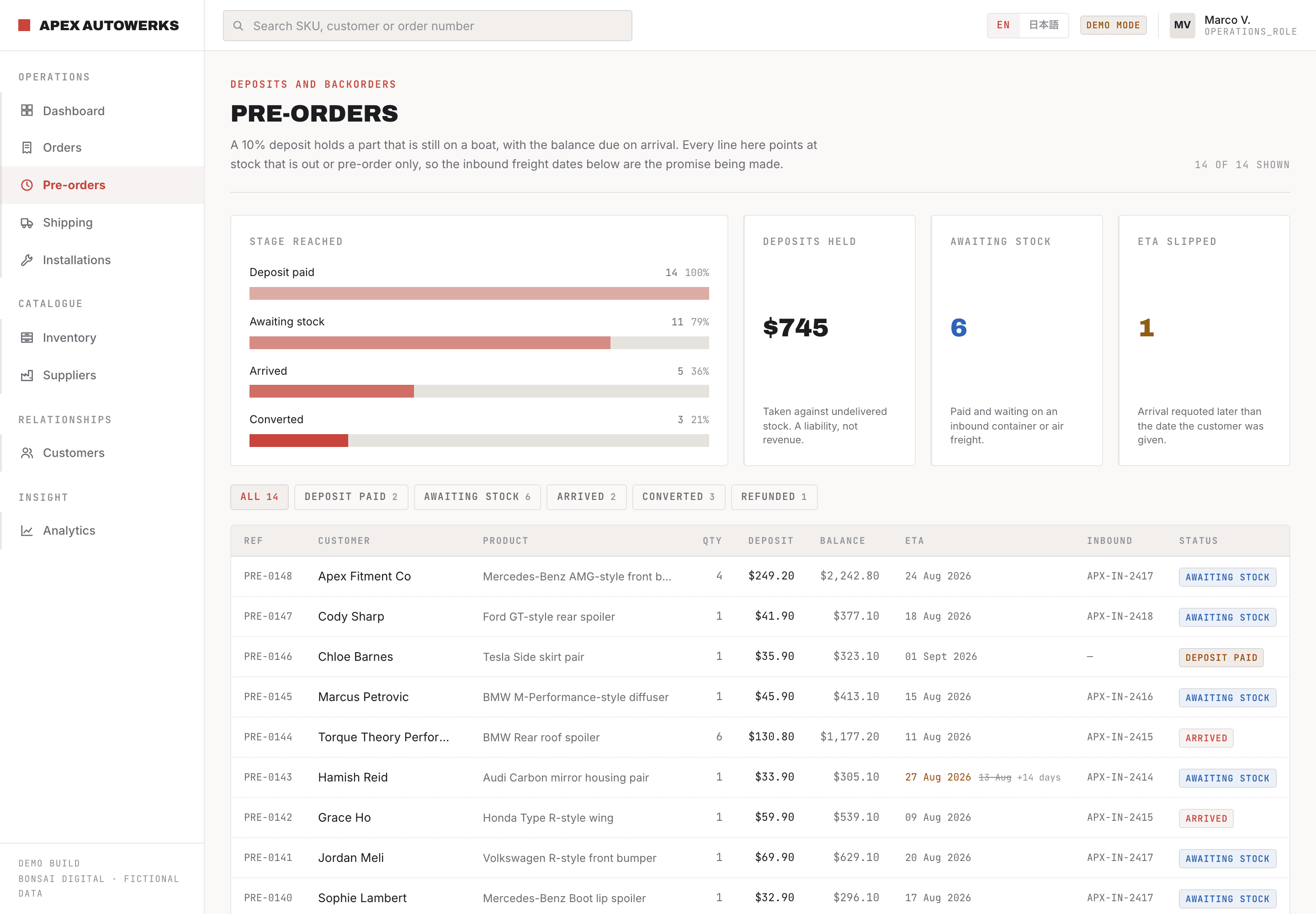
Deposits tied to the container
A pre-order is money taken against stock that has not landed yet, so it is a liability rather than revenue. Each line points at the inbound shipment it depends on. When a container gets requoted, the customers affected surface straight away instead of a month later.
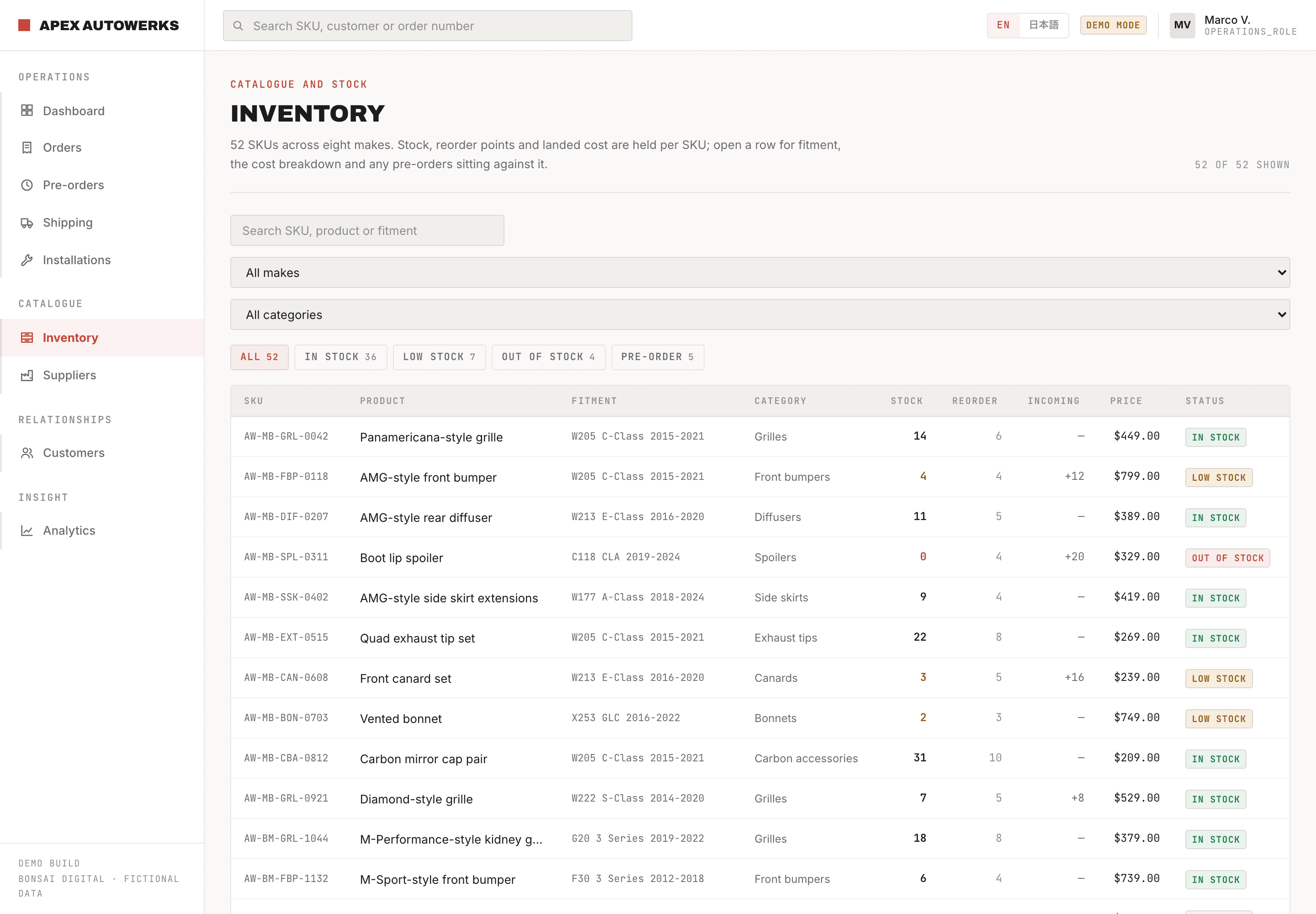
Stock and landed cost in the same row
52 SKUs with stock against reorder point, incoming quantities, and the currency working that turns a supplier's foreign price into a real landed cost. Open a row for fitment detail and any pre-orders sitting against it.
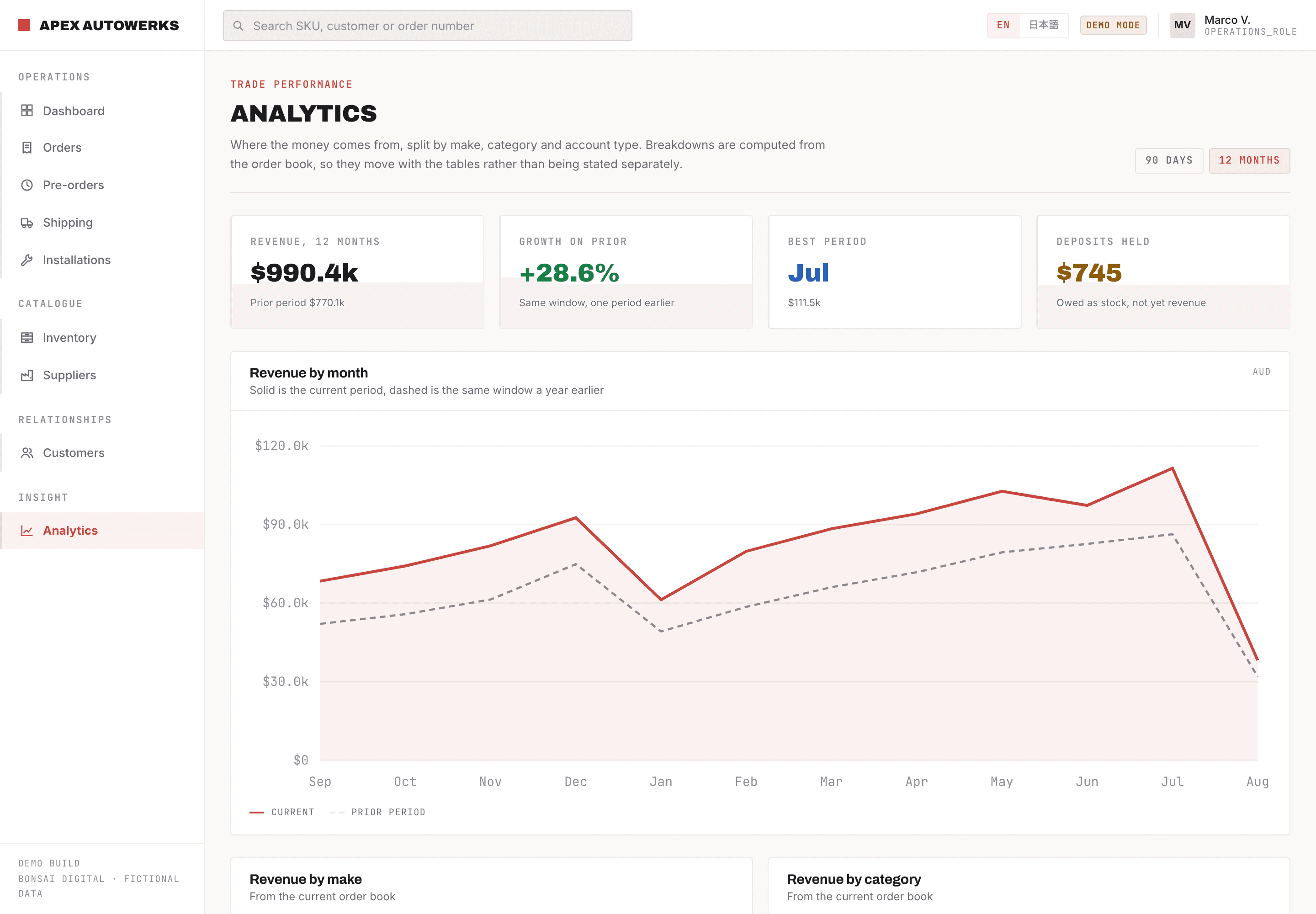
Where the money actually comes from
Revenue split by make, category and customer tier, measured against the same window a year earlier. The breakdowns are computed from the order book rather than maintained by hand, so they cannot drift away from the numbers everywhere else.
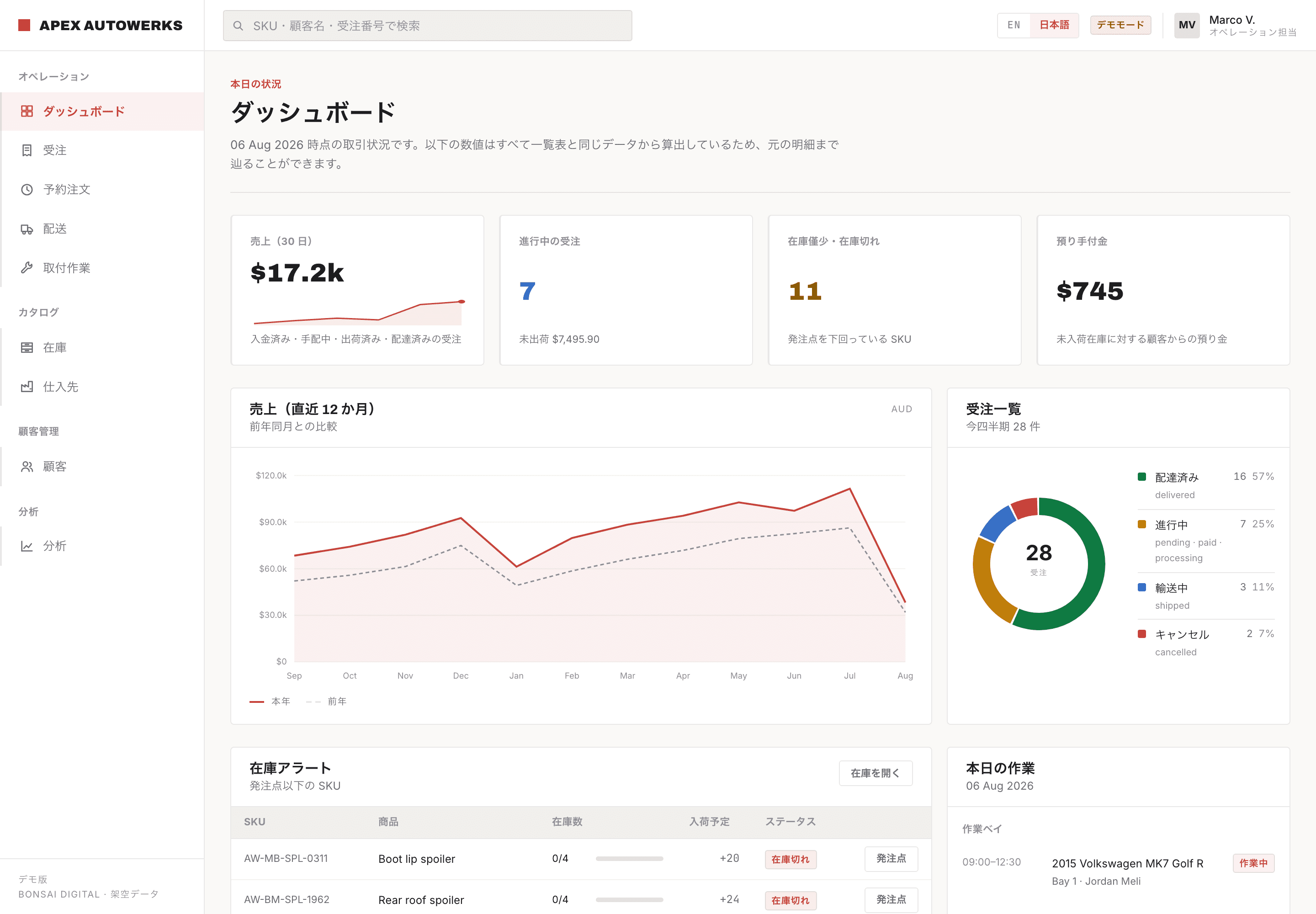
The same console in Japanese
Every label, status and column has a Japanese counterpart, switched from the header without a reload. For a team in Japan this is not a nice extra, it decides whether the tool gets used at all.